You don't need to change your password every 90 days
At some point you've probably had to change a password because a counter ran out. The company policy, the bank's security page, the IT department reminder: change your password every 60 or 90 days. Some systems lock you out until you comply.
This rule has been part of security culture for decades. It has also largely been abandoned by the researchers and standards bodies that originally promoted it.
Where the rule came from
The logic behind periodic rotation made sense in a different era. If a password leaked in a breach, regular rotation meant the exposure window was bounded — at worst, an attacker had the password for 90 days before it expired. It also made sense when breaches were harder to detect and a compromised credential file might sit in use for months without anyone knowing.
The rule assumed, though, that people would generate genuinely new passwords each rotation cycle.
Why it backfires
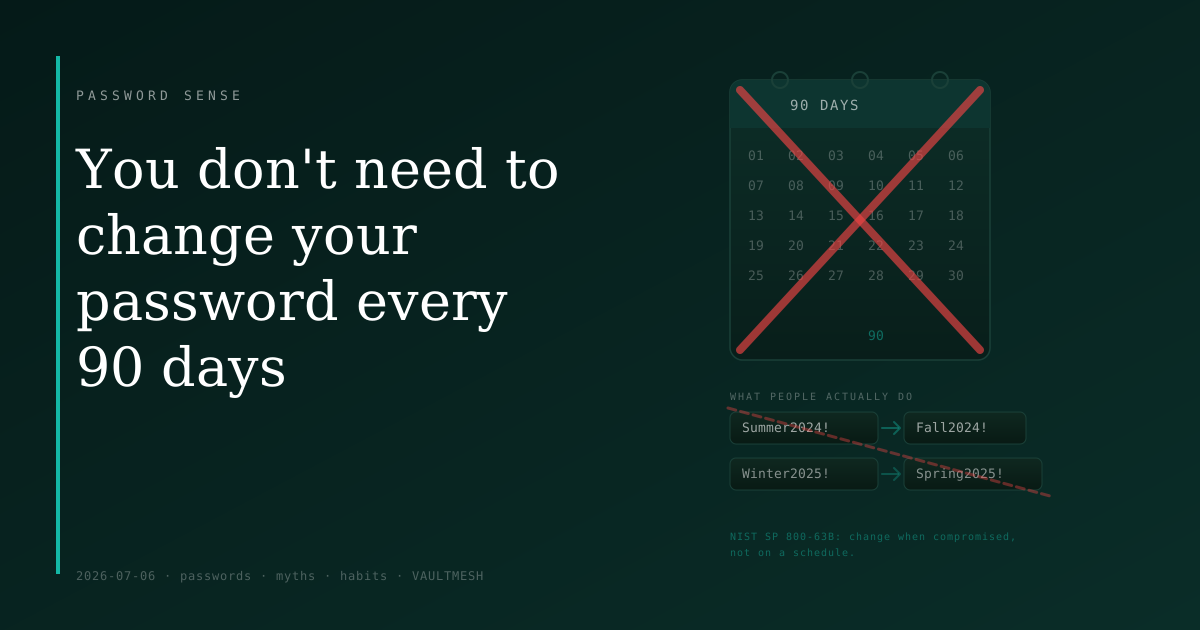
People don't create fresh, strong passwords on a quarterly schedule. They make the minimum change required to pass the validation rules: Summer2024! becomes Fall2024! becomes Winter2025!. The structure stays fixed; only a predictable variable changes. Someone who has one entry from that pattern can reasonably guess adjacent ones.
Research on password change behavior — including work that informed later guidance updates — found that mandatory rotation consistently produces this kind of incremental mutation. The new password isn't more secure. In many cases it's less secure, because the rotation pressure pushes people toward patterns they can remember and increment rather than credentials that are genuinely unpredictable.
NIST's digital identity guidelines (SP 800-63B), revised in 2017, explicitly dropped mandatory periodic rotation from their recommendations. The updated guidance says to prompt password changes when there is evidence of compromise — not on a calendar schedule. Many organizations have been slow to follow, which is why the 90-day rule persists in practice even as the rationale behind it has been discarded.
When you actually should change a password
The case against scheduled rotation isn't a case against ever changing passwords. There are situations that clearly warrant it.
After a breach notification. If a site reports that your data was exposed, change that password on that site, and anywhere else you used it. The exposure has already happened; changing the credential limits what can still be done with it going forward.
When you notice something suspicious. Login alerts from locations you don't recognize, messages you didn't send, sessions you can't account for — these are signals to change the password immediately and add a second factor if you haven't already.
When someone else has had access. If you shared a password temporarily — with a family member, a support agent, a colleague filling in — change it once the reason is resolved. A credential that has left your control is one you can't fully account for.
When you find you've been reusing it. If the same password is in use on multiple sites, a breach of any one of them affects all of them. Finding and replacing reused passwords is worth doing even without a specific incident.
What to do instead of rotating on a schedule
The more durable approach is a strong, unique password per account from the start — one you don't have to remember because a password manager stores it. With unique credentials per site, a breach of one account doesn't compromise others, and there's no reason to rotate on a schedule because the password was never shared, never reused, and never guessable.
Pair that with breach monitoring: many services will alert you when your email address appears in a known breach database. That notification is the relevant signal — not the calendar.
A password that never needs changing is one that was never compromised. The goal is to keep it that way, not to cycle through variations on a schedule.