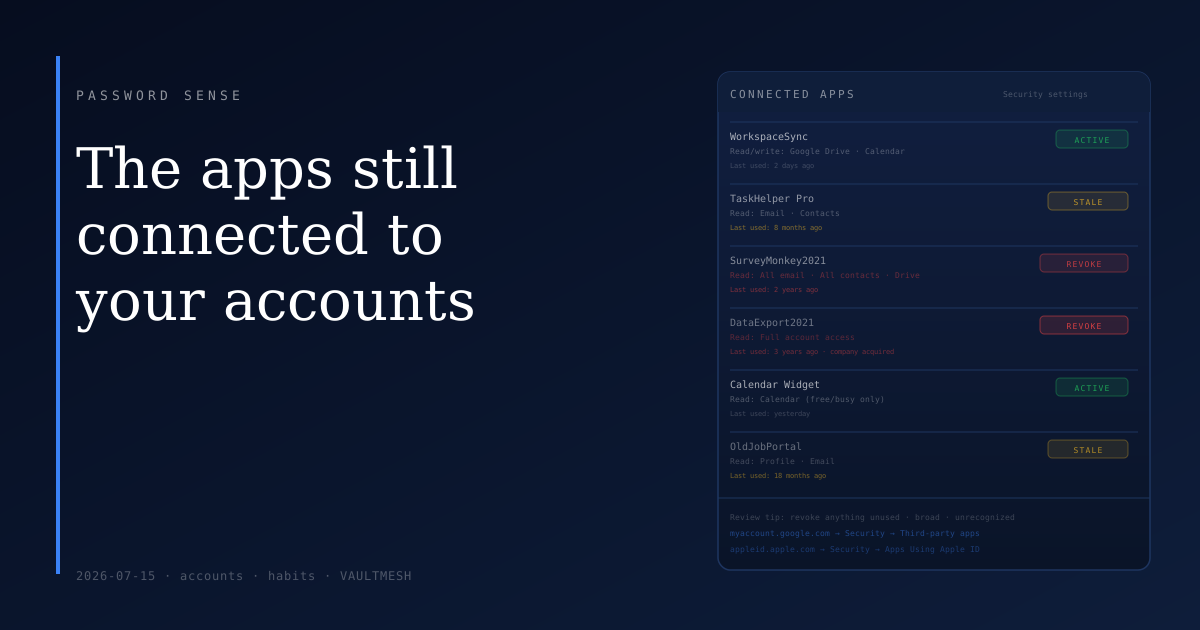
The apps still connected to your accounts
When you connected a productivity tool to your Google account a few years ago, or used "Sign in with Google" for a service you've since stopped visiting, that connection didn't disappear when you moved on. It's still there, with whatever access it was granted at the time.
Most people have a list of connected apps they've never looked at. The list grows over time and never trims itself.
What "connected" actually means
When an app or service gets access to your account — whether through social login or through an explicit permission screen ("Allow this app to read your email") — it receives an access token. That token lets the service interact with your account in whatever way you permitted, for as long as the token stays valid.
The access doesn't expire when you stop using the service, when you delete your account on the third-party site, or when you forget it existed. The connection persists until you revoke it. Deleting your account on the service's side sometimes revokes the token, but not always — it depends on how the service handles cleanup.
Why old connections are worth a look
Most connected apps are doing exactly what you intended when you connected them. The concern comes from a narrower set of situations:
A service you stopped using two years ago still has read access to your email or calendar. A company you connected a tool from has since been acquired, merged with something else, or had a security incident. An app asked for broader permissions than it actually needed — "access to all your contacts" for a task manager — and you clicked through. Any of these means something you're no longer actively choosing has ongoing access to your data.
The risk from any individual stale connection is usually low. The issue is that the list grows silently and nobody reviews it. A short periodic check handles this.
How to find and revoke them
The major identity providers all have a page for this, usually under account security settings.
Google: Go to myaccount.google.com, then "Security," then "Your connections to third-party apps and services." Each entry shows what the app has access to and when it was last used. Click any entry to see specific permissions and a button to revoke access.
Apple: On an iPhone, go to Settings → your name → Password & Security → Apps Using Apple ID. On the web, visit appleid.apple.com and look under Security. You can stop using Apple ID with each connected app — note this removes the sign-in connection, which may log you out of the service.
Microsoft: Visit account.microsoft.com, then Privacy → Apps and services → Apps and services that can access your data.
What to look for: services you no longer use, apps you don't recognize by name, anything with unusually broad access, and apps connected to services you know have had security problems.
What happens when you revoke access
Revoking immediately invalidates the access token. The app can no longer make requests to your account. For services you've fully stopped using, this is a clean cut.
For services you still actively use, revoking the connection will typically log you out and require you to sign in again — at which point the app will ask for permission again if it needs it. This is worth knowing so it doesn't surprise you if you revoke something still in use by accident.
For abandoned services, revoke without hesitation. For active ones, the more useful action is reviewing what they have access to and deciding whether that scope still makes sense.
Making it a habit
A connection review takes about ten minutes and doesn't need to happen often — once or twice a year is enough for most people. The goal isn't to disconnect everything; it's to keep the list intentional.
After any significant life change — a job switch, a relationship ending, a device being sold — it's a good moment to run through connected apps on your main accounts. Permissions granted in one context don't always belong in the next one.
The list doesn't maintain itself. A brief review now and then keeps it from quietly accumulating access you no longer meant to grant.