Staying logged in: when it's fine and when it isn't
When you log in to a website, the server creates a session — a record that says "this browser is authenticated." Your browser stores a small token, usually a cookie, that it sends with every request to prove the session is yours. The site trusts that token until it expires or you log out.
"Remember me" tells the site to issue a longer-lived token. Instead of expiring when you close the browser, the session persists for days or weeks. The next time you visit, you're already in.
This is convenient. It's also reasonable in most situations. But the same feature that saves you from logging in repeatedly is what gives someone else with access to your device immediate access to your accounts.
When staying logged in is fine
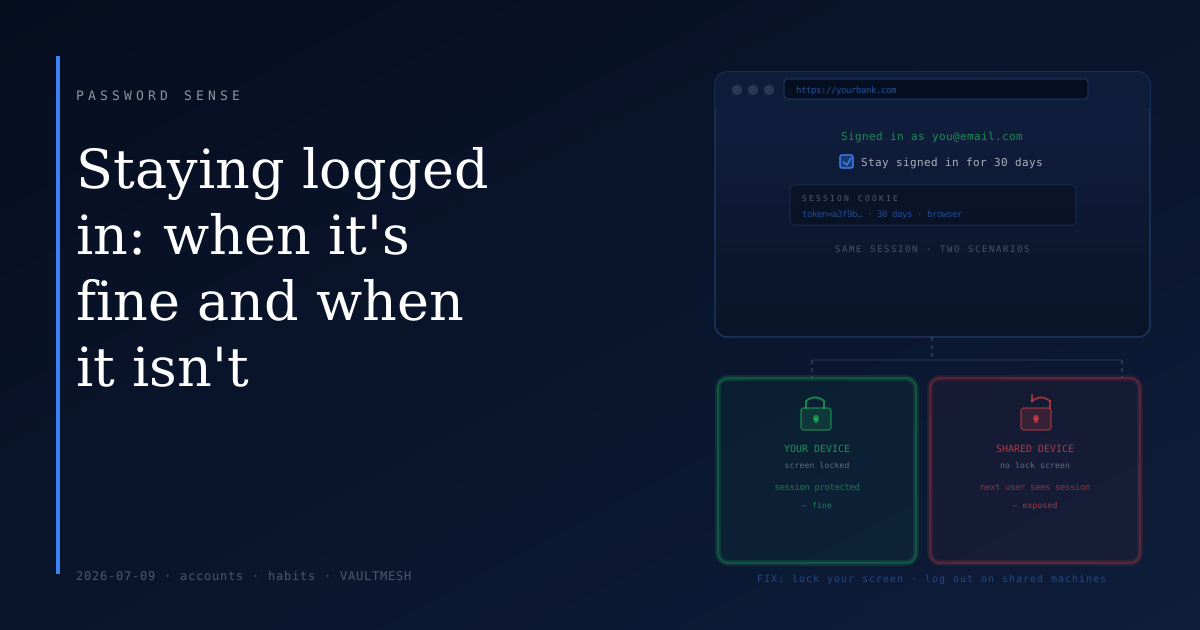
On a device you own, carry with you, and keep locked, persistent sessions are generally a sensible trade-off. Your phone, your laptop — devices you control, that require a passcode or password to unlock, and that you know where they are.
The risk model here is narrow: a session is only exposed if someone gets into your unlocked device. If your device is locked, they can't reach the browser. If you keep it locked, staying signed in to your bank on your personal phone is not meaningfully risky.
The same applies to a home desktop or a personal laptop that doesn't leave the house. Low physical access risk means low session risk.
When it's a problem
The calculus shifts in a few situations.
Shared devices. A computer at a library, a work kiosk, a hotel business center, a friend's machine — these are used by other people. If you log in and click "remember me," the next user may find themselves in your inbox. This happens more than you'd expect, and it's easy to forget to undo.
Devices that aren't yours. Logging in on someone else's phone or laptop when your own isn't available. It feels temporary. Sessions often aren't — they persist well after you've handed the device back.
Lost or stolen devices. If your device disappears while sessions are active and the device isn't locked, whoever finds it has access to whatever you were signed in to. A lock screen dramatically reduces this risk, though it doesn't eliminate it entirely.
Old devices you no longer own. Many people never sign out before selling or donating a device. A factory reset handles most cases, but active browser sessions have occasionally survived incomplete resets.
The habit that handles most of this
Lock your device. This is the single most effective response to session risk, and it costs very little. A screen that requires a PIN, password, or biometric to unlock means that a lost or unattended device doesn't give a stranger access to your sessions.
You don't need to log out of anything. You just need the sessions to be protected by the same lock that protects everything else on the device.
For public or shared computers, the habit is different: log out explicitly before you leave. Don't rely on closing the tab or the browser — log out of the account, or at minimum close any private or incognito window if you used one. Most browsers won't persist sessions from a private window once it's closed.
Checking where you're signed in
Most major services let you view and revoke active sessions. The security settings for Google, Apple, and Microsoft accounts all show which devices and browsers are currently authenticated. If you've logged in from a shared machine and aren't sure whether you logged out, this is worth checking.
Revoking all sessions except the current one is usually a single action. After that, any stale session from an old device or a shared computer is gone.
This is also useful to check after a password change, or if you notice anything unusual in an account — it's one of the more practical security settings that most people never look at.
The short version
"Remember me" is not inherently risky. It becomes a problem when the device holding the session isn't under your control.
Keep your personal devices locked. Log out when using shared or public computers. Check your active sessions occasionally to clear out anything stale. That covers the realistic risk without requiring you to log in from scratch every time you open a browser.