What 'Sign in with Google' actually does to your account
The "Sign in with Google" button is on thousands of sites. It saves you from creating yet another username and password. Most people click it without much thought, and that's usually fine — it's a legitimate, widely supported way to log in.
What it actually sets up, though, is worth understanding. Not because the technology is dangerous, but because it creates a dependency that affects how you should think about your Google or Apple account.
What happens when you use it
When you click "Sign in with Google," you're using an authorization system called OAuth. Google verifies your identity and sends the site a token — essentially a confirmation that says "yes, this is a real Google account and the person is logged in." The third-party site uses that token to create and recognize your account.
A few things follow from this. The site never receives your Google password — it never knows it. It just knows Google vouched for you. You have an account on that site, but the credential controlling access to it lives at Google, not there.
This is what makes social login convenient. It's also what creates the tradeoff.
The dependency chain
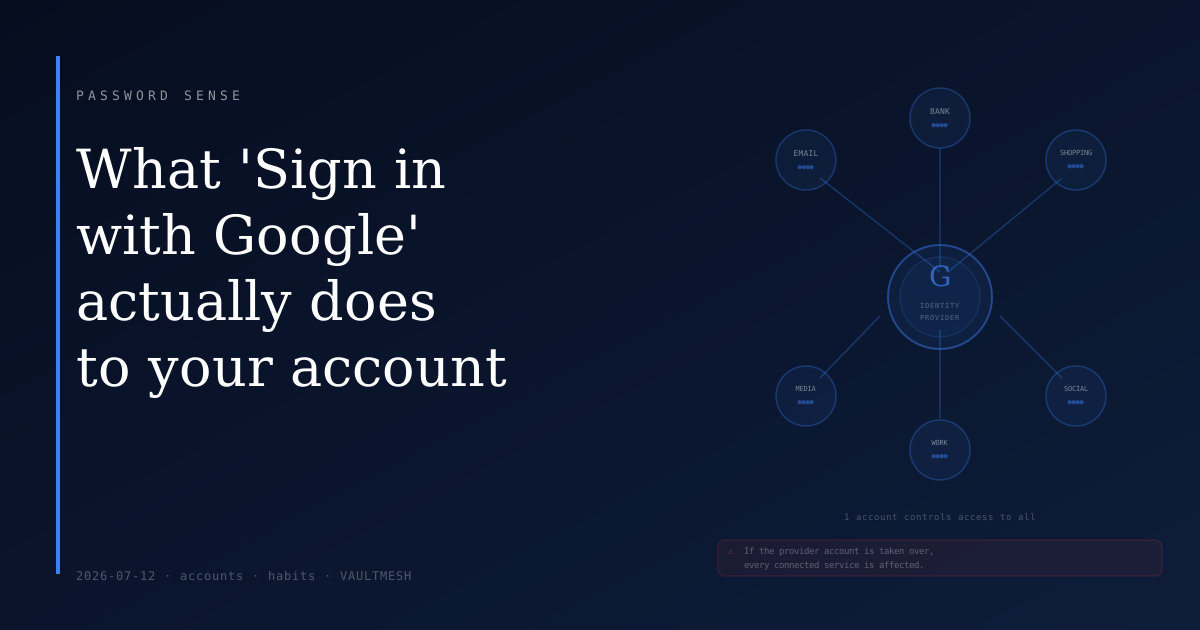
Your Google account has become a key to every service you signed in to using it. If your Google account is compromised — through phishing, a password breach, or account takeover — whoever controls it has a path into all those connected services. Not because those individual sites were breached, but because the identity provider was.
This compounds in a way that plain username/password accounts don't. If your password to one streaming site gets stolen, that site is at risk. If your Google account gets taken over, everything connected to it is at risk at the same time.
The same applies to Apple ID, Microsoft accounts, and any other identity provider used for social login. Convenience and risk concentration travel together here.
When it makes sense to use social login
Social login is a reasonable choice in a number of situations:
For low-stakes services — forums, news sites, review platforms, tools you use occasionally — it avoids creating and storing yet another password that you might reuse or forget. Using social login there is better than reusing a password you use elsewhere.
It's also reasonable when the identity provider account is well-protected. If your Google account has a strong unique password and two-factor authentication enabled, the risk of it being taken over is substantially lower. The dependency is still there, but it's backed by real protection.
Where it's worth thinking twice: services that hold sensitive data, like financial accounts, medical records, or anything you'd particularly not want exposed. For those, a standalone account creates cleaner separation. If the service is ever breached, the compromise doesn't extend to your Google account or anything else attached to it. And if you decide to change identity providers someday — say, switching from Google to Apple — standalone accounts don't require migration.
What to do now
The most useful action is to check what's already connected. Google, Apple, and Microsoft all let you see which apps and services have been granted access to your account.
In Google, go to myaccount.google.com, then "Security," then "Your connections to third-party apps and services." You'll see a list of everything you've signed in to with that account. Some of those services you probably still use; others may be abandoned. Revoking access from apps you no longer use takes a few seconds and trims the list of things that would be affected if something went wrong.
Do the same check on whichever other identity providers you use. Apple's equivalent is under Settings → your name → Password and Security → Apps Using Apple ID.
The second thing: if you haven't already, treat your identity provider account as a priority account. It deserves a strong unique password and two-factor authentication, at minimum. The email-as-master-key concept applies here too — your Google or Apple account may now be the key not just to your inbox, but to a wide range of services.
The practical upshot
Social login is a legitimate tool and often a reasonable shortcut. The thing worth knowing is that it shifts which account matters most. The services themselves may have weak or strong security; what you can control is how well-protected the account at the center of it all is. That's where the effort is best spent.