How to share account access without sharing a password
Sending a password over text feels like a quick fix — the other person needs access, you type it in, done. It works. The problem is that the credential doesn't go away after they use it.
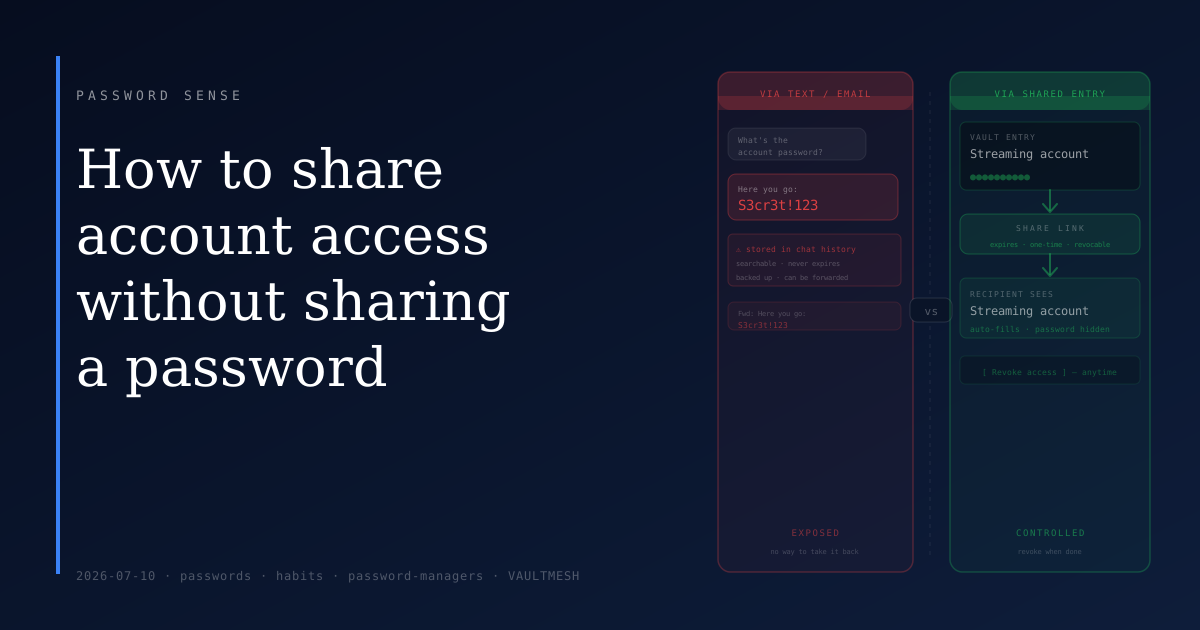
When a password travels through a chat message or email, it lands in your sent history, their inbox, their notification log, and whatever backup system the platform uses. Most messaging apps store conversations indefinitely. If either account is compromised later, an attacker can search that history and find the password sitting there in plain text.
Why the credential itself shouldn't travel
A password is only as protected as the least secure place it's ever been stored. Once it leaves you in a message, it's in two places instead of one — and you don't fully control either of them.
There's a secondary problem: once a credential leaves you through a chat, you can't track where it ends up. It might get forwarded. The recipient's device might be shared, unlocked, or lost. Messages get backed up to cloud services. Losing track of who has a credential is how access quietly outlives its purpose — an old password used in a new context, months or years later, with no obvious trail back.
Better options that don't require sending the password
A lot of situations that feel like "I need to share my password" have a cleaner solution at the account level.
Family and team plans. Streaming services, cloud storage, and many productivity tools offer multi-user access under one subscription. The secondary user gets their own login — you never share the primary credential, and access can be revoked from your account settings without changing your own password.
Authorized users and sub-accounts. Banks and utilities often let you add authorized users with their own credentials. Business software frequently does the same. Checking whether a service supports this costs a few minutes and often removes the need to share credentials at all.
Password manager sharing. Most password managers let you share a specific entry with another user of the same service. The recipient's app fills the credential automatically — they can use it without ever seeing the raw password, and you can revoke access when the need passes. VaultMesh, for example, lets you share individual vault entries directly with another person while keeping the underlying password invisible to them. This is the right tool for ongoing shared access to a service that doesn't have its own sharing feature.
When you do need to send a credential directly
Sometimes none of the above is available — the service doesn't support added users, and you need to give someone the password itself.
Use the right channel. A one-time share link from your password manager is better than a text message. Some managers generate a link that expires after it's opened once, which prevents the credential from persisting anywhere. If that's not available, use the most private channel you both have access to, and delete the message from both sides after it's been used.
Change the password when the need passes. This is particularly important for temporary access — a contractor who needed in for a specific project, someone covering for you while you were away. Once the access is no longer needed, a password change closes it cleanly. This is easier than trying to track down and delete all the places the credential might have been copied.
The short version
Check whether the service has a built-in way to add another user — many do. If you use a password manager, use its sharing feature for credentials that don't have a better option. If you have to send a password directly, treat it as temporary: choose a channel carefully, and change the password once you're done.
Passwords that live in chat threads tend to stay there. A few minutes spent finding the right sharing method avoids that problem entirely.