QR codes can phish you just as easily as links
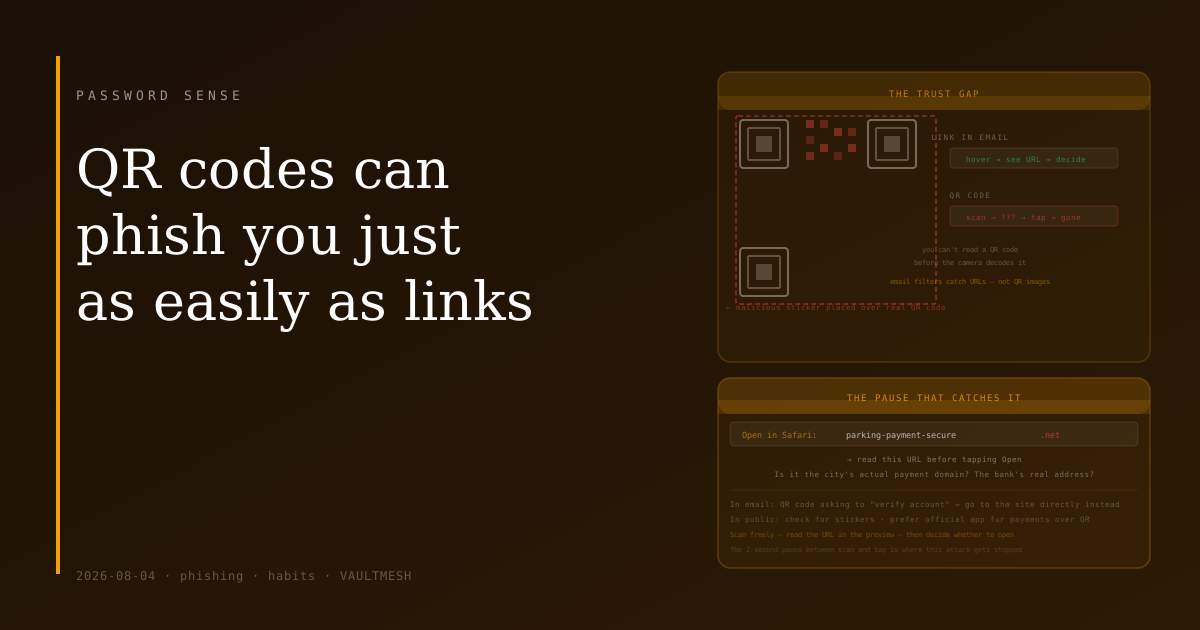
With a link in an email, you can at least hover over it to see where it leads before clicking. The address appears in the status bar. You can check whether the domain looks right.
A QR code doesn't let you do that. You point your camera at it, your phone decodes a web address you can't read from the pattern, and you're taken there. The opacity is built in. Most people tap "open" without reading what's displayed.
That gap — between scanning and going — is what makes QR codes useful for phishing.
How QR code attacks work
QR-code phishing (sometimes called quishing) follows the same structure as link-based phishing. The goal is to get you to a fake login page, a drive-by download, or a site that harvests personal information. The QR code is just a different delivery method.
In email, it works like this: you receive a message that looks like it's from your bank, your delivery company, or a government agency. Instead of a clickable link (which security tools can scan and flag), there's a QR code. Automated email security filters are less effective at scanning QR codes than at scanning URLs. The message says to scan the code to verify your account, track your package, or review an alert.
In physical spaces, the attack looks different. A sticker with a malicious QR code gets placed over the real one on a parking meter, a restaurant table tent, a poster at a conference, or a public transit ad. The sticker looks identical to what a legitimate QR code placement would look like. You scan it expecting to pay for parking or view a menu, and you land on a fake payment page instead.
Both variants depend on the same thing: you scanning without checking where you're going.
What a scanned phishing link looks like
When you scan a QR code, your phone's camera app typically shows you the decoded URL before you open it. This is the moment the attack can be stopped.
The URL shown in that preview is the destination. Phishing URLs in QR codes follow the same patterns as phishing URLs in emails: plausible-looking domains with extra words, substituted characters, or subdomains designed to read as the real thing (parking-payment-secure.com instead of the city's actual payment portal, accounts.bankname-verification.net instead of the bank's real domain).
Reading the URL before tapping is enough to catch a significant portion of these. The problem is that most people don't — the reflex is scan, tap, proceed.
The specific risk in public spaces
Stickers placed over legitimate QR codes are harder to detect than phishing emails because the surrounding context looks real. The parking meter is real. The restaurant is real. The context gives the QR code apparent legitimacy that a cold phishing email doesn't have.
A few things can help here:
Check whether the QR code looks like it might be a sticker. A real venue's QR codes are usually printed or embedded, not stuck on as an afterthought. If the code looks recently applied or sits slightly off-level from the surrounding surface, that's worth noticing.
Prefer official apps and websites for payment over QR codes in public spaces. Most cities with QR-based parking payments also have official apps. For a restaurant menu, asking for a physical menu is also an option.
For any QR code that leads to a payment page, check that the URL matches what you'd expect before entering any information. The advice is the same as for any payment site: the address bar tells you where you actually are.
What to actually do
The main habit to build is a brief pause between scanning and proceeding.
When your camera previews the URL, read it. It takes two seconds. Check that the domain is the actual domain of the organization the QR code is supposed to represent — not a close variation. If you're at a bank branch scanning a QR code for their mobile app, it should take you to the bank's own domain or to the App Store or Google Play with the bank's name as the developer.
For QR codes that arrive in emails, apply the same skepticism you'd give a link in an email. If you weren't expecting the email and it's asking you to scan something to "verify" or "update" your account, the right move is to go directly to the organization's website or app instead.
Security tools on phones and computers are catching up to QR-based phishing, but they're less mature than link-scanning. Until that gap closes, the preview moment is the main opportunity to catch this.
Scan freely — QR codes are genuinely useful. Just read the URL before you tap.