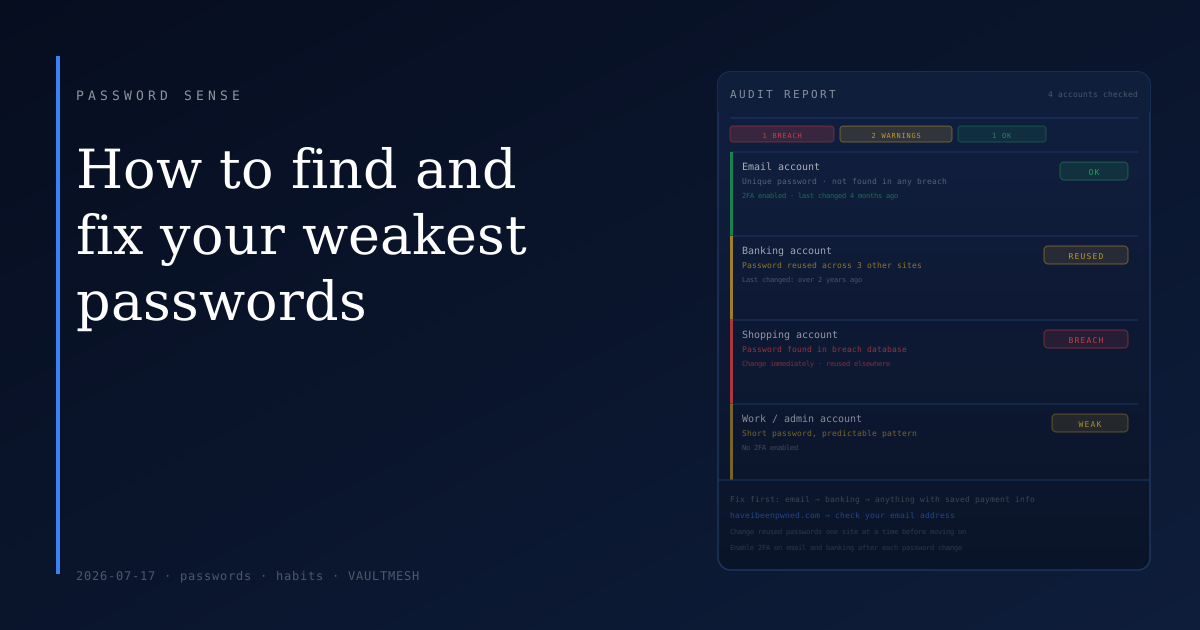
How to find and fix your weakest passwords
Most people don't have all weak passwords or all strong ones. They have a mix: a few accounts from years ago using something embarrassingly simple, a handful of strong unique ones set up when they were thinking carefully, and a large middle group they're not sure about. The risk lives in that first category, and finding it takes less time than you might expect.
Start with breached passwords
The fastest check is haveibeenpwned.com. You can search your email address and see a list of every breach it has appeared in. If a service you used has been breached and you haven't changed that password since, treat the credential as compromised — regardless of how strong the password looked when you created it. A strong password exposed in a breach is just as useless as a weak one.
The site also has a password checker that lets you test individual passwords against a database of known leaked credentials. It does this without sending your actual password anywhere. If a password shows up in that list at all, change it immediately, on every site where you've used it.
Use a password manager's audit feature
If you already use a password manager, it likely has a built-in report showing reused, weak, or compromised passwords across all your saved entries. This is the most thorough approach available, because it can check every credential at once rather than one account at a time. Some tools (such as VaultMesh) surface these flagged entries directly in the main interface, so nothing requires a separate report to find.
If you don't use a password manager, you'll need to audit manually — which mostly means thinking through which accounts you care about and checking whether the passwords there are unique or recycled from somewhere else.
Which accounts to fix first
Not all weak passwords carry equal risk. A recycled password on a low-stakes forum matters much less than the same recycled password on your email or bank. The accounts worth prioritizing:
Email. Your email account is the recovery address for nearly everything else you own. Whoever can access your inbox can reset your bank, your work login, your social accounts. A strong, unique password and 2FA here is worth more than any other single security action.
Banking and payment accounts. These are often set up years ago with whatever password habits you had at the time. They're worth checking even if you're reasonably confident, because the stakes are higher than most accounts.
Anywhere a card number is saved. Shopping accounts, subscriptions, anything storing payment information. These are attractive targets and often have weaker authentication than banks.
Work accounts. If a work credential is compromised, the impact goes beyond just you. Most workplaces have their own security policies, but your personal habits on your own devices are worth checking regardless.
What to do when you find a problem
Change the password on the affected account first, and make the new one unique — something you don't use anywhere else. If you've reused that password on other accounts, change those too before moving on. The order matters: once an attacker has a credential, they'll test it across other services immediately.
After changing the password, check whether the account has 2FA available and enable it if not. Changing a weak password removes the immediate exposure; adding a second factor means a compromised password alone isn't enough to get in next time.
You don't need to fix everything at once. Thirty minutes on your five highest-value accounts — email, bank, main shopping account, work login, and anywhere else that stores payment information — is more useful than a rushed sweep of every account you've ever created. Do those first, then work through the rest.
Keep checking
Breaches happen continuously. A password that was fine last year might show up in a breach database today. Running a quick haveibeenpwned.com check a few times a year, or setting up their notification service so they email you when your address appears in a new breach, keeps you ahead of the problem without turning it into an ongoing project.
The goal isn't a perfect audit all at once. It's finding the few genuinely risky ones in the mix and fixing those before they cause a problem.