What incognito mode actually does
Opening an incognito tab feels different. The dark interface, the statement about private browsing, the absence of your usual bookmarks — it signals that something is shielded. The protection is real but much narrower than the presentation suggests.
What incognito clears
When you close an incognito window, the browser discards a specific set of data:
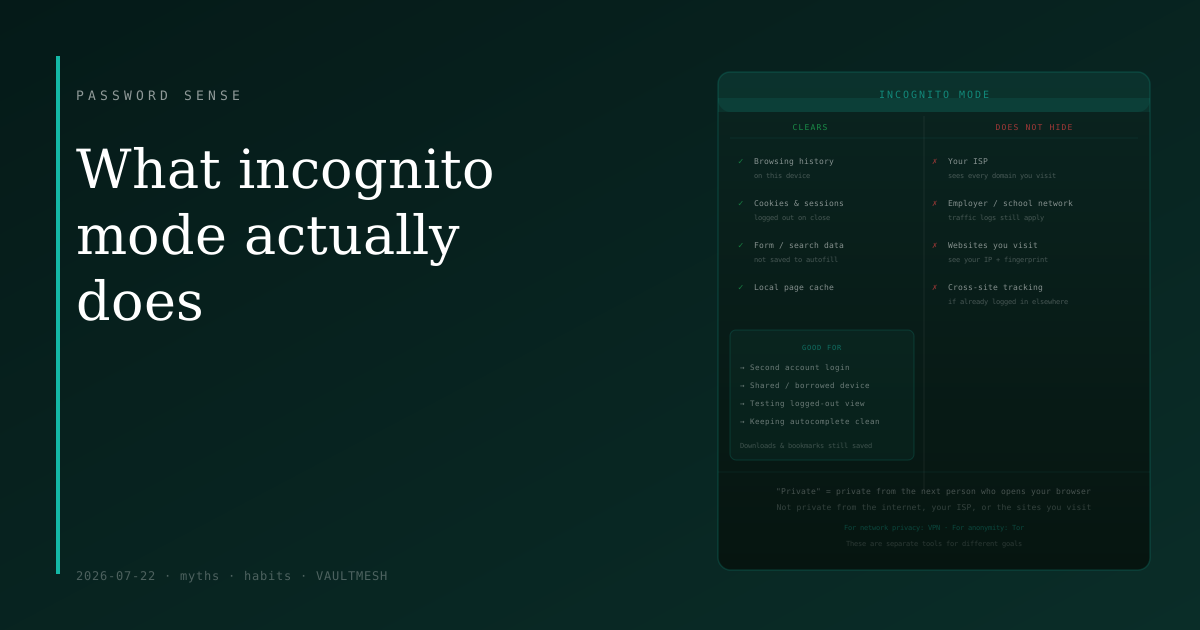
Your browsing history for that session — pages visited don't appear in the address bar history or your history tab. Cookies and session data — which means you're logged out of accounts when the window closes. Data you typed into forms — autofill doesn't record it. The local browser cache for pages you visited.
This is the complete list. These things are genuinely not saved to your device. If someone else picks up your laptop after you've closed the incognito window, they won't see where you went.
What it doesn't hide
The word "private" in "private browsing" means private from other people who use the same device. It doesn't mean private from the internet.
Your internet service provider can still see which domains you connect to. DNS lookups and IP connections happen regardless of whether you're in a private window. If you're on a home network, your ISP has a record.
Your employer or school, if you're using their network, can log your traffic. A corporate firewall or network monitoring tool sees the same traffic from incognito as from a regular window.
The websites you visit know your IP address and can track you through browser fingerprinting — your screen resolution, browser version, installed fonts, and other characteristics that together form a surprisingly unique signature. If you're logged into a service like Google in one tab and visit other sites in incognito, cross-site tracking may still connect your sessions depending on implementation.
Downloads persist. If you download a file in incognito, the file stays on your device. Bookmarks you create stay too.
Where it's actually useful
Used for the right things, incognito is genuinely helpful:
Logging into a second account. If you're signed into your personal Gmail and need to check a work account, incognito gives you a clean session without signing out of the first one.
Shared or borrowed computers. Browsing in incognito on a computer you don't own means you don't leave history, cookies, or saved form data behind when you're done.
Testing website behavior. Developers and anyone curious about how a site appears to logged-out visitors use incognito to see the unauthenticated version.
Preventing autocomplete from recording something. If you're searching for something you'd rather not have suggested later, incognito keeps it out of your browser's suggestion list.
The one framing correction
Private browsing keeps your session private from the next person who opens your browser. That's it. It doesn't anonymize you, doesn't prevent network-level monitoring, and doesn't make you invisible to the sites you visit.
For stronger privacy from network observers, a VPN helps — though it shifts trust to the VPN provider rather than eliminating it. For anonymity from websites, tools like Tor are designed for that purpose. Both are separate tools for different goals.
Incognito is useful and worth knowing how to use. Its limits are equally worth knowing so you don't rely on it for something it can't provide.