Hardware security keys: the strongest 2FA most people have never tried
If you use two-factor authentication, you're already in better shape than most. An app-generated code is a genuine second layer — attackers who steal your password still face another hurdle. The part that surprises most people: those codes can be caught in real time.
A convincing phishing page can capture your password and your one-time code simultaneously, then replay both to the real login server before the code expires. By the time you notice something is wrong, the attacker may already be in. The code worked — just for the wrong person.
The gap in your current setup
When you type a six-digit code, you're making an implicit judgment: you're trusting that the page in front of you is the real site. A real-time phishing attack puts a convincing fake in front of you and relays everything you type to the genuine server.
This works because the code doesn't know where it belongs. It's a number — it has no way to verify the site's identity. That check is left to you, and that's the opening attackers use.
What a hardware key does
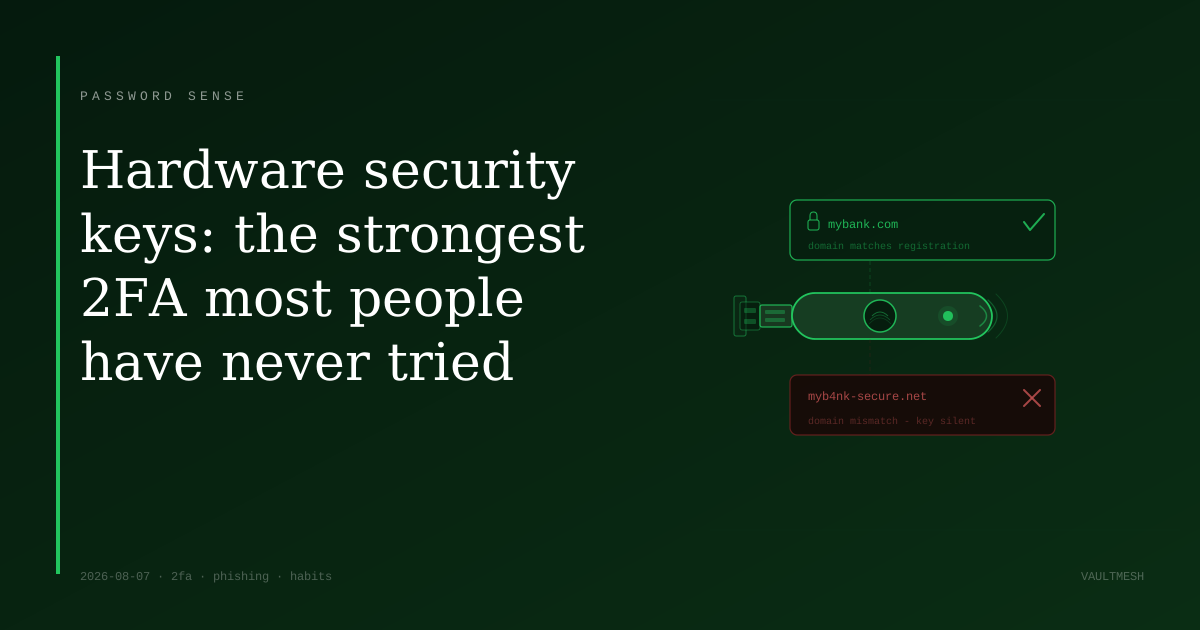
A hardware security key is a small physical device — roughly the size of a house key — that plugs into a USB port or taps a phone's NFC reader. When you log in, the site sends a challenge to the key. The key checks the site's actual domain, and only responds if that domain matches where the key was first registered.
If you're on a fake site, the domain won't match — and the key won't respond. There's nothing for an attacker to relay, because the key refuses to participate. Your authentication is tied to the real site's address, not to your ability to recognize a convincing design.
The standard behind this is FIDO2, also called WebAuthn. The mechanics are complicated, but the practical result is simple: the identity verification happens in hardware, automatically, with no human judgment required.
How it compares to an authenticator app
Authenticator apps are a solid choice for most accounts. They're free, widely supported, and significantly better than receiving codes by text message. A hardware key is a step up in one specific area: phishing resistance.
With an authenticator app, you're still the last line of defense. With a hardware key, the key makes the site verification for you — and can't be misled by a page that merely looks right. That's the core difference.
Hardware keys also separate your authentication from your phone. If your phone is lost or stolen, anything that depends on it — including your authenticator app — becomes a problem. A key on your keychain or stored somewhere safe stays independent.
Getting started
Hardware keys typically run $25–$80 for most models. For most personal accounts, a good authenticator app is the right tool and the realistic recommendation. A key is worth considering if you handle high-value accounts on a regular basis — banking, work email, a domain registrar, anything that controls other accounts — or if you've already been targeted by a phishing attempt.
If you decide to add one: register two keys, not one. If you lose your only key and didn't save backup codes, account recovery can be slow and frustrating. Keep a second key in a separate safe location, and store each account's backup codes somewhere offline.
Most major platforms already support hardware keys — Google, Microsoft, GitHub, and most financial institutions with strong 2FA options. Setup involves registering the key once; after that, it handles the authentication step at login.
If hardware isn't the right fit yet, the most useful thing you can do is check what 2FA method your most important accounts are using. If it's SMS codes, switching to an authenticator app is a meaningful improvement you can make right now, for free.
Hardware keys aren't for everyone — but for accounts where the cost of a breach would be severe, they close the one gap that other 2FA methods leave open.