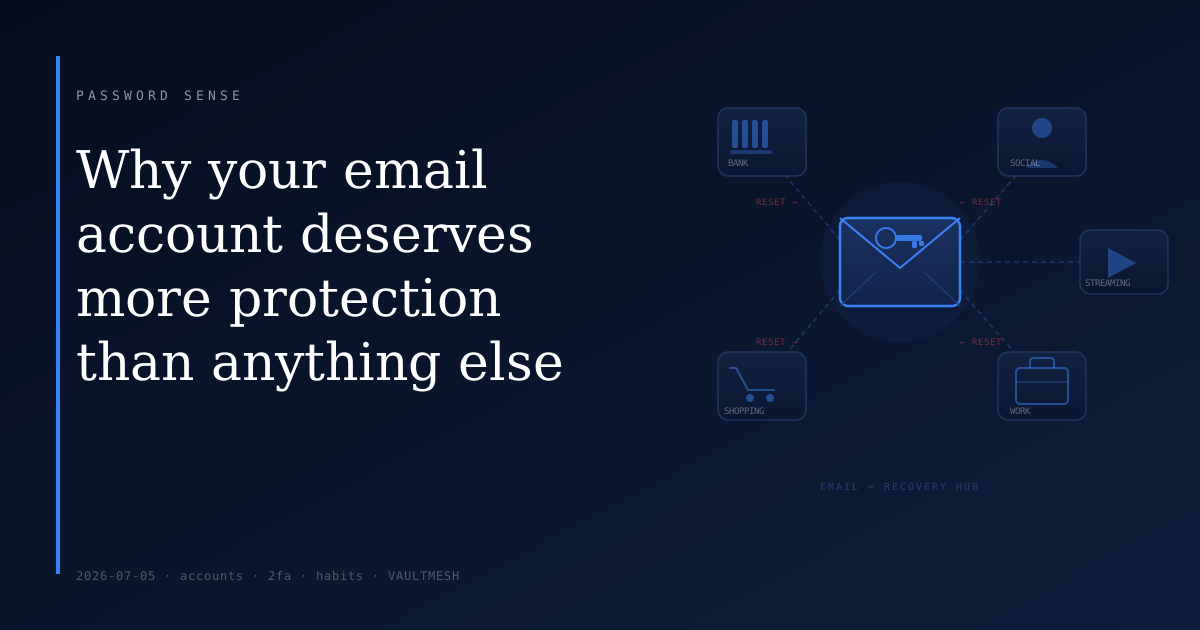
Why your email account deserves more protection than anything else
Most people treat their email account like any other account. They give it a password they can remember, maybe the same one they use elsewhere, and move on. It's just email.
The problem is that it isn't just email. Your inbox is the recovery point for virtually every other account you have. Whoever controls it doesn't just have your messages — they have a path to everything attached to it.
What "forgot password" actually does
When you click "forgot password" on any site, that site sends a reset link to your email address. Whoever can read that email can set a new password and take over the account. It's a deliberate design — the assumption is that your email is something only you can access.
This mechanism exists across almost every service: your bank, your shopping accounts, your social media, your work tools if they're tied to your personal address. An attacker who gets into your inbox can work through your accounts methodically — clicking "forgot password" and resetting each one. Your original passwords don't matter at that point. The reset flow bypasses them entirely.
This is one of the more reliable paths attackers use to take over accounts, precisely because it's how account recovery was designed to work.
Why email accounts get targeted
Email accounts tend to be older than most other accounts — people have often had the same address for years, sometimes decades. The password was set a long time ago and may never have been updated. If that password was reused from a site that was later breached, attackers may already have it.
There's also the matter of scope. Because email sits behind so many other accounts, it's a high-value target. Taking over one email account gives access to a large connected surface. Attackers are aware of this and treat email credentials accordingly.
Email accounts also accumulate access over time — apps connected to read receipts, services that send important notifications, tools that archive correspondence. Each connection is something to consider.
What to actually do
Make your email password unique. If your email password is the same one you use anywhere else, a breach of any of those other services potentially gives access to your inbox. Email is the one account where reuse is most costly. Use a password it doesn't share with anything.
Turn on two-factor authentication. With a second factor in place, someone who has your password still can't get in without also having your phone or authenticator app. Most email providers support authenticator apps, which are more resistant to interception than SMS codes. The setup takes a few minutes and is one of the higher-value security steps available to most people.
Check your email's recovery settings. Your email provider likely has a backup phone number or a secondary email address on file — these are what you'd use to recover your account if you ever lose access. If that phone number is disconnected, or the backup address is one you no longer control, recovery becomes difficult or impossible. Log into your provider's security settings and confirm those are current.
Review which apps have access. Over time, various apps and services may have been granted access to your email — to scan for receipts, manage subscriptions, or other purposes. Each connection is a potential exposure point if that app is later compromised. Audit what has access and revoke anything you no longer recognize or use.
The priority order
If you had to pick one account to treat with extra care, this is it. Not because your email necessarily contains your most sensitive information, but because it's the recovery address for everything that does.
Strong unique password, a second factor, and current recovery settings. Those three things close off the most common paths to losing control of your email — and by extension, the accounts behind it.