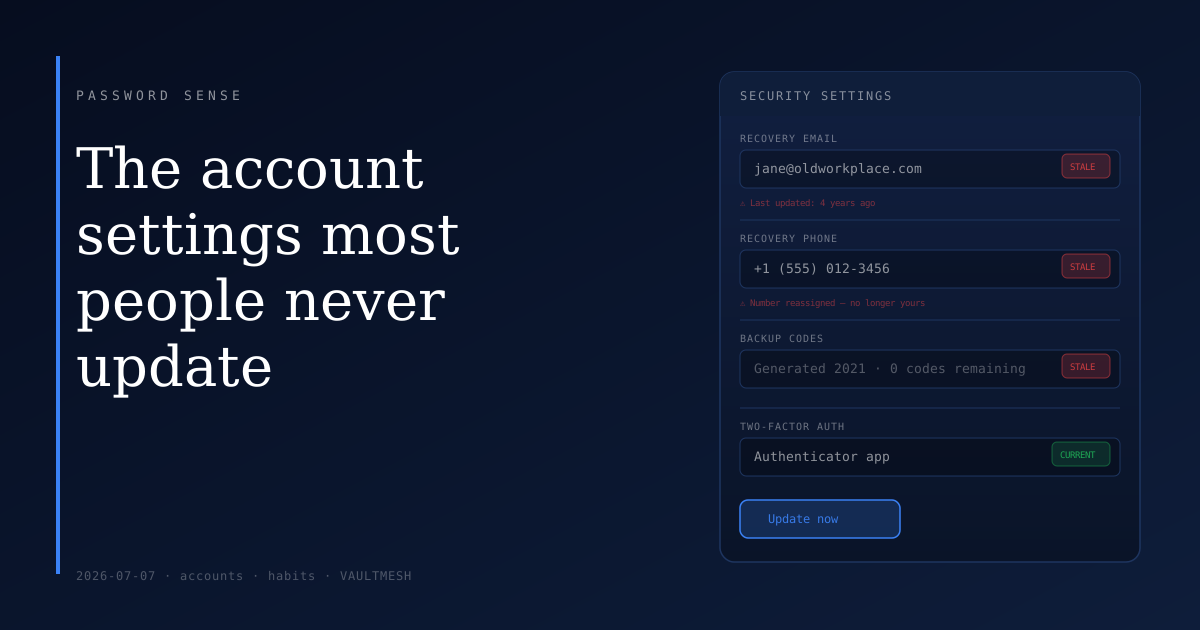
The account settings most people never update
When you create an account, most services ask for a recovery option: a backup email address, a phone number, or both. You fill in whatever's available at the time and move on.
That was probably years ago. The fields don't update themselves.
What recovery options actually do
Recovery options are how a service verifies your identity when normal access fails. Forgot your password? A reset link goes to your backup email. Locked out after failed attempts? A code goes to your phone. Suspicious login detected? The service may send a verification to one of these contacts before allowing access.
When those contact points are current, the system works. When they're not — when the email is an address you abandoned, or the phone number has been reassigned to someone else — you're locked out with no path back. The service can't verify you're you, and in most cases there's no manual appeal process that reliably works.
This isn't just a minor inconvenience. For important accounts, a stale recovery option can mean permanent loss of access.
How recovery options go stale
Several common patterns lead to this:
Old email addresses. People change providers or stop using an address. The backup email on a bank account from several years ago might be a domain that no longer exists or an inbox you haven't opened in years.
Recycled phone numbers. Mobile numbers get reassigned after service lapses. If you changed carriers, changed countries, or had a number go inactive, it may belong to someone else now. That person would receive your account recovery codes.
Work email addresses. Many people use an employer's email for personal accounts set up during that job. When they leave, the address is deactivated. Any account linked to it becomes difficult to recover.
Old shared-plan numbers. A phone number that was part of a family plan you've left, or tied to a relationship that has ended, is one you no longer control — even if it once felt permanent.
What to audit
The accounts worth checking first are the ones that would be most disruptive to lose: your primary email, bank and financial accounts, social accounts tied to a real identity, and anything connected to payment information.
For each one: log in, find the security or account settings, and look for recovery email and phone number. Confirm both are contact points you currently control. Update anything that's out of date while you're there.
Some services also offer one-time recovery codes — backup codes generated during setup that bypass other recovery methods entirely. If a service you use offers these, it's worth checking whether you have them stored somewhere accessible. If you set them up and lost the codes, generate a new set.
Two-factor authentication apps and hardware keys also tend to have their own backup flows. If you've changed devices without migrating your authenticator app, some accounts may have a second-factor that no longer works. It's worth verifying that your 2FA method and your backup recovery method aren't both stale at the same time.
One thing to do today
Open the security settings on your primary email account and check the recovery email and phone number listed there. If either is outdated, update it now.
The rest can happen gradually — five or six important accounts over the course of a week is more realistic than auditing everything at once. The goal is making sure that if you ever need account recovery, the path back in actually leads somewhere you control.
Recovery options are invisible until you need them. That's exactly why they're worth checking while everything is working fine.